
Time & expense tracking that captures every hour and dollar.
Simple to log, easy to trust. Enter hours and expenses fast, see budgets update live, and bill right the first time.
.gif)

.png)

“The time tracking feature paid for itself. We’re now spending less than half the time filling out timesheets, and the interface is exactly what we needed to input hours and expenses quickly.”
Clint Rabe
1/10th
the cost of Deltek Ajera.
32 hrs/mo
saved in Factor project management & reporting compared to QuickBooks.
Timesheets that make life easier for everyone.
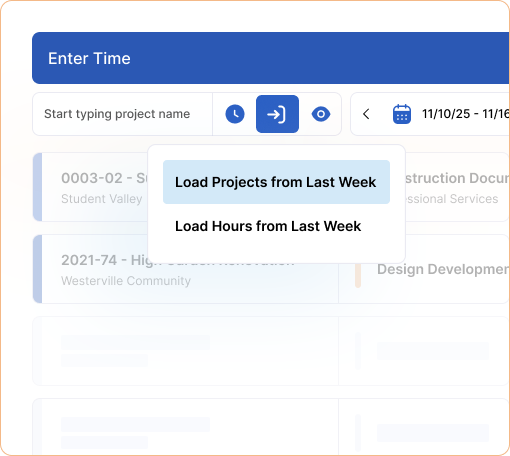
Assigned projects and scheduled hours automatically load into employees’ timesheets from resource scheduling. Employees log hours quickly and see budget status update in real time. Prefer a timer? Start and stop, then review entries in the same place.
.png)
Shortcuts your team wants, customizations your firm needs.
Make it your own. Customize employee timesheets, use one-click shortcuts to copy the previous week or day, and pick a review and approval flow that fits your firm.
2026 A&E Industry Benchmark Report
See how architecture and engineering firms are actually performing, with real data across revenue, staffing, project delivery, and financial health, so you know exactly where you stand.

Understand what's driving growth at high-performing A&E firms this year.
Know what your peers are prioritizing at their practice.
Learn what the data says about where A&E firms are winning and where they're struggling.
Time is money.
Know where both go.
Log time and watch it land in project actuals and on The Pulse, where PMs can course-correct before billing. Add an expense and profitability adjusts immediately, then it all moves to invoicing so nothing gets missed.
.png)
Simple expense entry so reimbursements stay accurate.
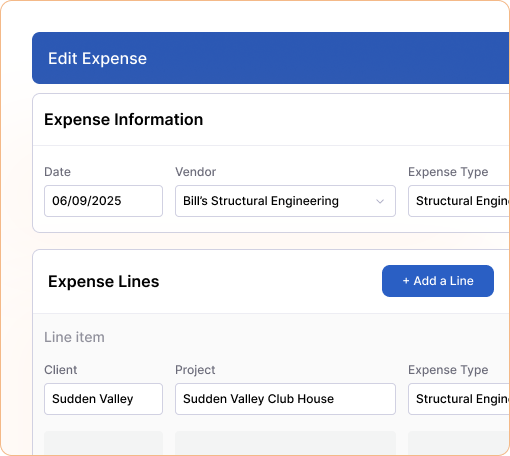
Quickly capture expenses by project from the employee dashboard. Log multiple lines in a single entry, splitting costs across different projects and phases without the back and forth. Attach receipts for client invoices, and track status so reimbursement and billing stay easy.
Factor’s impact on A&E firms is clear.
All metrics are based on self-reported customer data.
0hrs
saved every invoicing cycle.
000%
user adoption.
<1hr
to bill 30 projects.
1/00th
the price of Deltek.
"I would recommend Factor for anyone in the industry.”
In one quick call, we’ll show you a simpler way to run projects and get paid faster.

“I've worked with software platforms for 20+ years, and Factor has been my best experience of having a platform that will listen to you and is just as invested in us as we are in us.”
Betsy Koch
Operations manager


.svg)


