

.png)

Engineering firms aren't short on project management software. In fact, 68% have adopted business information modelling tools, and many use multiple platforms to manage project delivery.
Adoption isn’t the problem.
Nor is access the issue.
Rather, it’s all about alignment.
Too many software solutions miss the obvious: Engineering firms simply aren’t the same as construction, design, or even advertising agencies. So, the software they rely on can’t be the same either.
Engineering firms are highly specialized, professional services that are often niche and complex. Yet, these businesses are frequently stuck using generic project management platforms that simply don’t fit the unique needs and processes within the sector.
Instead, they’re left with gaps: key needs, such as phase-based billing, don’t exist, and industry-specific integrations often require custom configurations by third-party developers that are costly to implement and even more expensive to maintain.
Now, the good news is that there are solutions available out there, purpose-built to support the operational needs and growth goals of architecture and engineering firms. And we’re going to review each of the options in-depth.
As we explore our shortlist of the best six software choices for engineering firms in 2026, take note of what becomes possible when project planning, collaboration tools, and financial systems work together.
What to Look for in Engineering Project Management Software
Choosing the right software can be challenging when every platform appears similar on the surface. Every vendor promises customization, ease of use, and integration. The demos you attend show clean interfaces and happy teams.
Whether the software fits engineering workflows becomes clear only after implementation.
Here's what separates software that works for engineering firms from software that just adds to the problem.
1. Niche-focused features, not custom configurations
Your engineering firm requires features such as phase-based billing, earned value tracking (which compares work completed to budget spent), and subconsultant management. Generic tools don't address these natively.
Engineering firms that adopt structured phase-based billing with earned value tracking have reported increases in profitability. For example, one firm saw a 30% increase in profits after switching from hourly to lump-sum billing.
General project management platforms promise you can "customize anything." Technically, that's true.
Customization means months of configuration. You'll spend time creating custom templates and developing workarounds for features that should exist by default.
Purpose-built engineering project management software works immediately. You won't spend three months teaching Asana what "design development" means or configuring Monday.com to understand subconsultant agreements across multiple project phases.
The test
- If the vendor cannot demonstrate invoicing and phase-based billing, earned value tracking, and subconsultant management during the demo, expect to spend months on customization.
2. Real-time QuickBooks integration (not CSV exports)
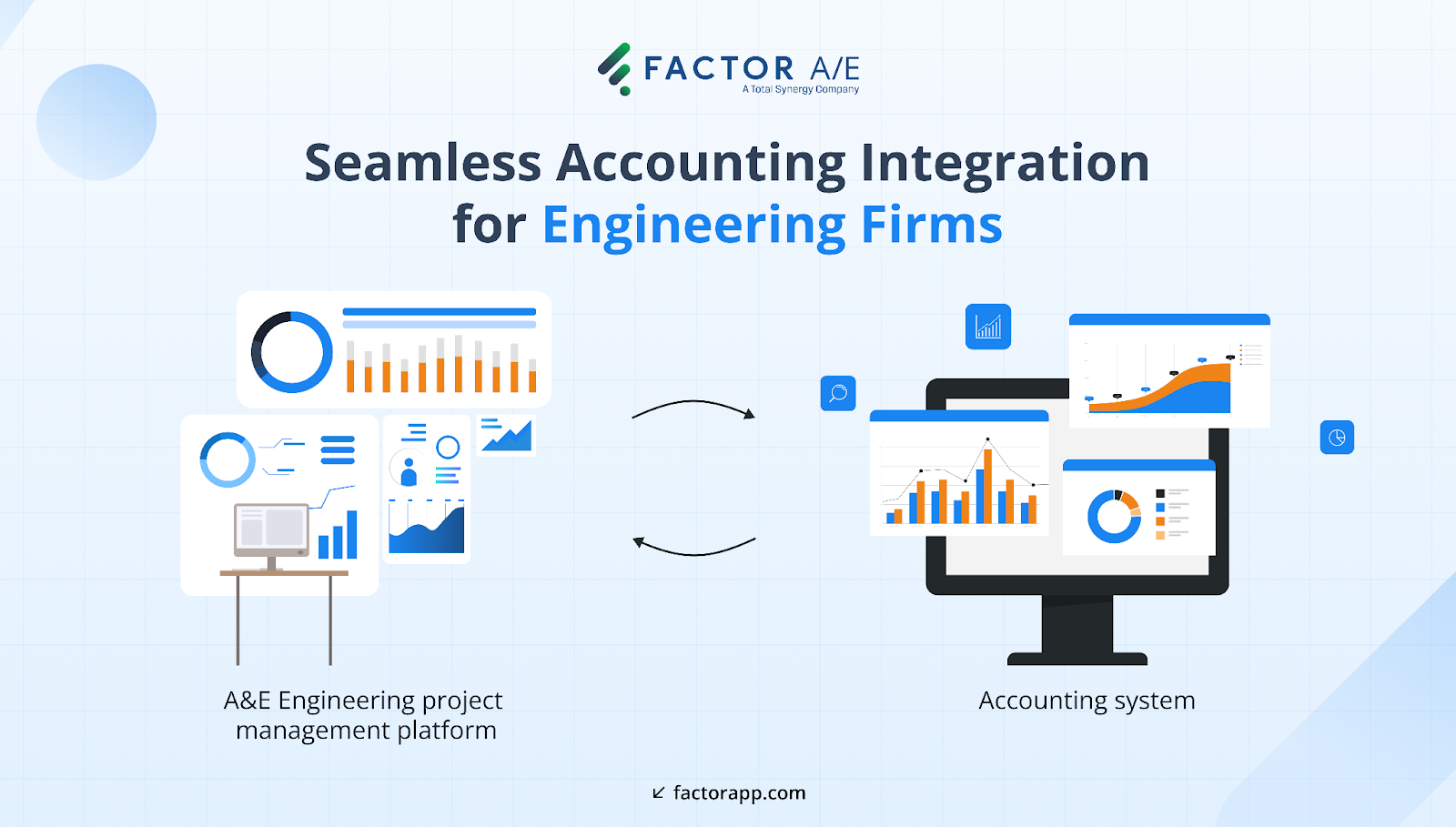
Engineering firms rely on QuickBooks, and seamless integration is critical for efficient operations and accurate financial reporting.
Instead, generic software solutions lead to situations where you’re constantly checking whether invoices synced correctly, mapped to the right categories, or created duplicate entries. Basic export/import functionality causes reconciliation headaches.
These seemingly minor headaches stack up, leading to real-world implications:
- The architecture-focused accounting firm, Madras Accountancy, recommends phase-based or milestone billing to stabilize cash flow and warns that firms without integrated project accounting struggle with cash-flow shortages, underbilling, and disputes.
- Independent professional services benchmarks reveal 4–5%+ revenue leakage and higher cost overruns when invoicing is error-prone or slow, as well as 9% higher profitability for firms with real-time project costing and connected systems.
It’s why any engineering project management software you seek out needs to offer real-time, two-way integration. It’ll help you avoid revenue leakage, cash-flow shortages, and cost overruns that many others face by syncing data instantly between platforms, rather than through batch uploads or manual CSV exports.
The test
- During demos, ask vendors to show you the actual sync process. If they can't demonstrate invoices flowing into QuickBooks in real-time, you're looking at another reconciliation tool.
3. Will your team actually use it?
Feature lists catch attention — but team adoption drives value.
When it comes to finding new tools to solve age-old issues within your engineering organization, it’s not the lack of interest that becomes a barrier. In fact, more than most, engineers remain at the cutting edge of change and technological transformation, so they’re well-positioned to implement new solutions.
So, if the obstacle isn’t about interest, then it’s worth exploring where the challenge actually lies.
Findings in an article titled, “Software Adoption in Project Management and Their Impact on Project Efficiency and Collaboration” give us a few clues. Researchers found there are three blockers to adoption: “resistance to change, integration issues with existing systems, and the need for proper training”.
The study goes on to “underscore the importance of selecting the right tools,” which tells us two key things:
- Firstly, even with the right features, not every platform will be “right” for an organization, especially if it doesn’t resolve one or more of these central issues.
- Secondly, the simpler a solution is in terms of training and integration, the easier it is to overcome the initial barrier of “resistance to change.”
To apply this insight to your real-world search for the right software, consider the solution’s user experience and interface design. These aspects of functionality can mean either a steeper or simpler learning curve.
For example, if creating an invoice requires opening three different menus and toggling between screens, your team won't use it.
These details make an impact on your bottom line: Research shows that investing in a tool with strong UI/UX can reduce friction, leading to a 200% increase in adoption rates. These gains trickle down, as RevOps shifts often do, resulting in a 300% uptick in ROI.
The test
- Use your trial period to assess whether your project coordinator and principal can both navigate it without extensive training.
- During your demo, watch how many clicks it takes to complete everyday tasks. Before concluding the call, ask for references from firms of a similar size that have had successful adoption experiences. If their sales team can't connect you with three firms that hit 90%+ adoption within six months, walk away.
4. Implementation that takes weeks, not quarters
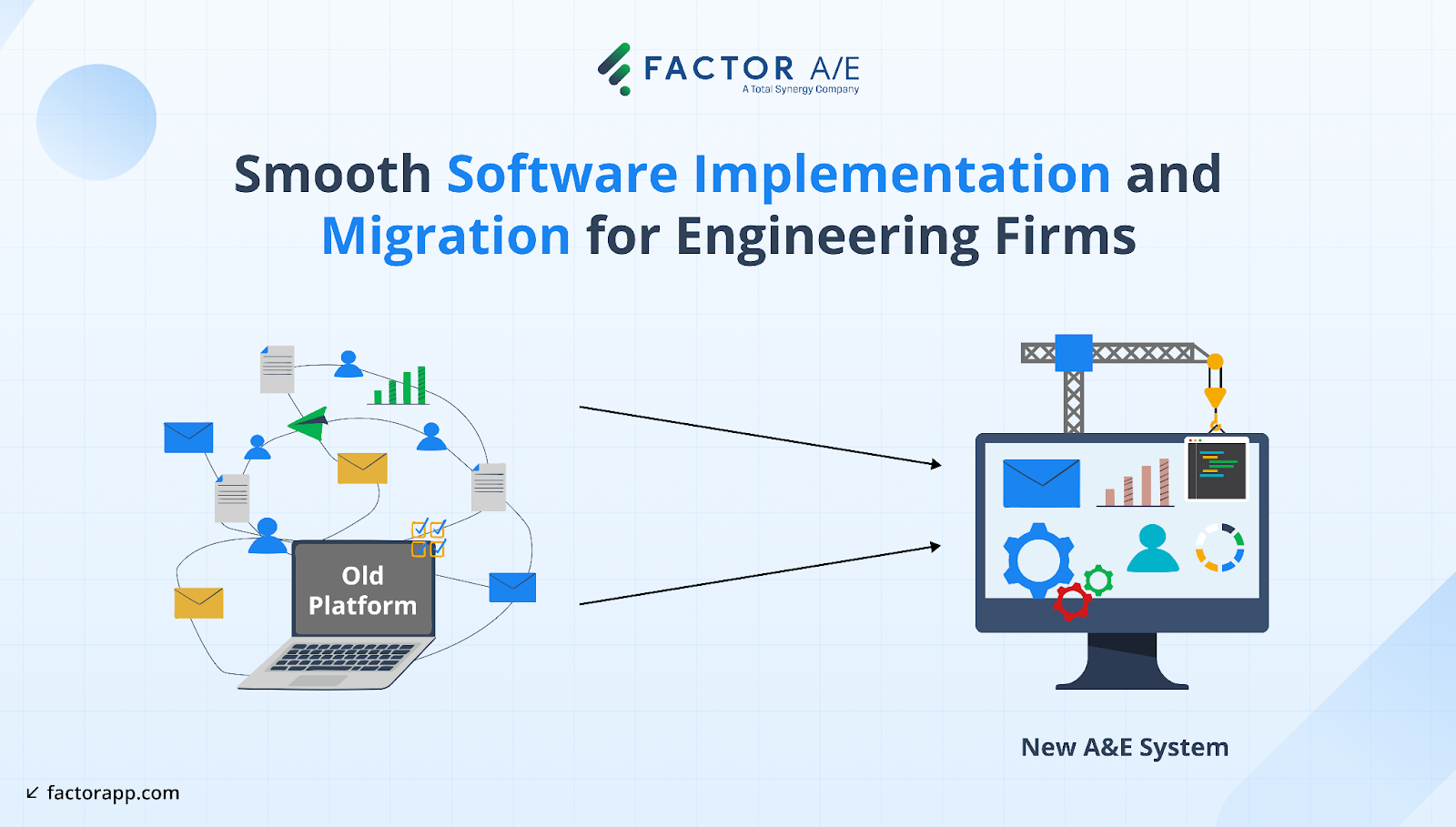
Engineering firms have been burned by painful software migrations that disrupted operations for months.
The pattern is predictable: you lose historical project data, spend six months configuring systems that still don't work right, only to discover mid-implementation that phase-based billing doesn't function.
The test
- Verify migration capabilities upfront: Do they have pre-planned migration processes, and what percentage of your current data and operations can you expect to remain intact? What does downtime entail, and what support is offered?
- Assess their familiarity and readiness for migration by asking if there’s anything you’ll need to put in place to help achieve a smooth transition.
- If a vendor cannot demonstrate documented migrations from your legacy system and get you operational within eight weeks, continue your search.
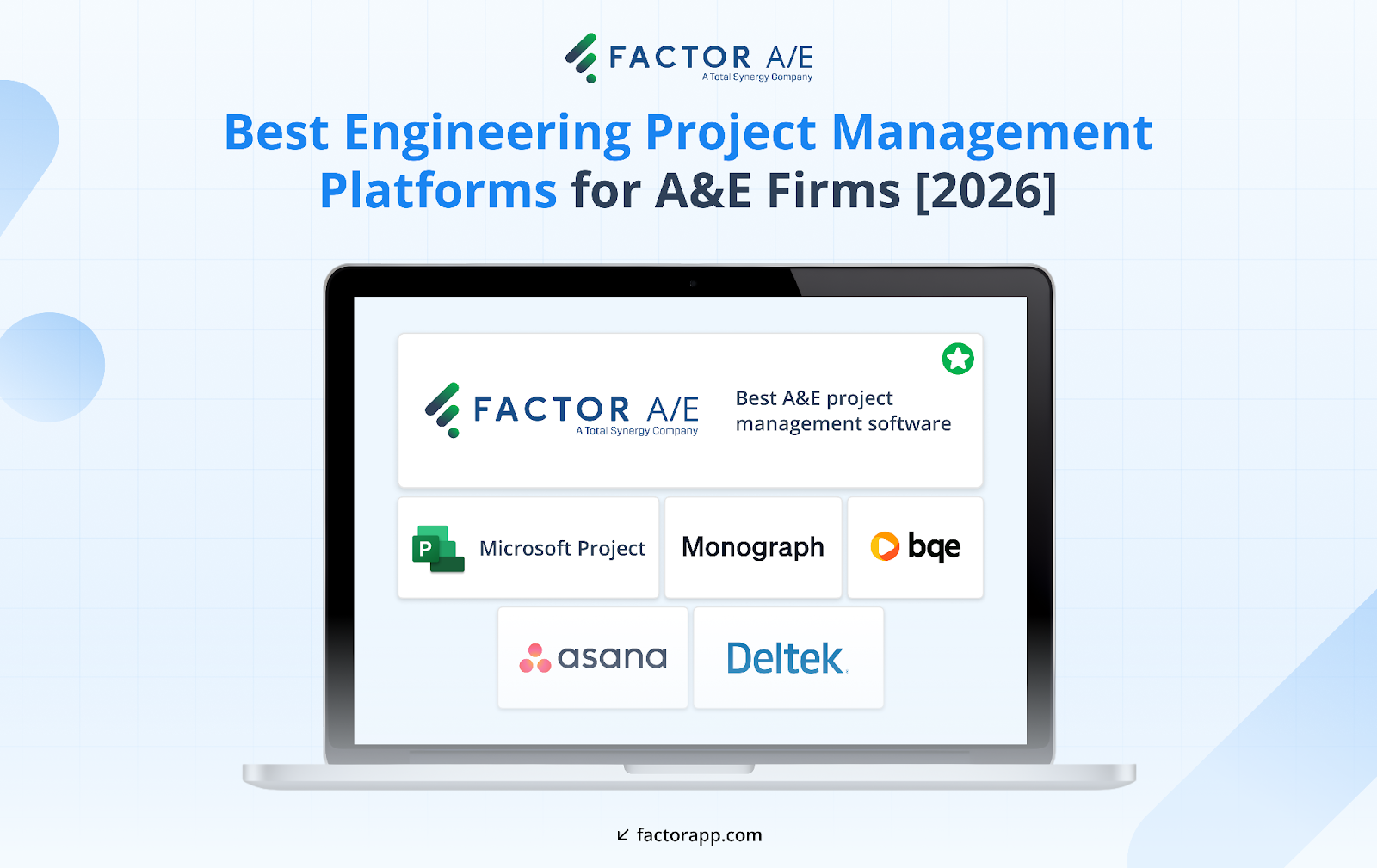
6 Project Management Tools for Engineering Firms
Now that you know what separates good software from bad, here are six solutions worth evaluating. Each one handles these criteria differently depending on your firm's size, complexity, and priorities.
1. Factor AE
Factor AE addresses A&E-specific workflows and continues to evolve based on direct feedback from architecture and engineering firms.
You get features that match how engineering firms actually work: billing cycles, phase structures, and consultant agreements are built into the platform.
Phase-based project management
Engineering projects typically undergo several phases, including schematic design, design development, construction documents, and construction administration.
Factor AE enables detailed project structures with separate budgets for services and expenses at each phase, providing project managers with complete visibility into complex projects.
For task-based firms, task management is integrated into the same system.
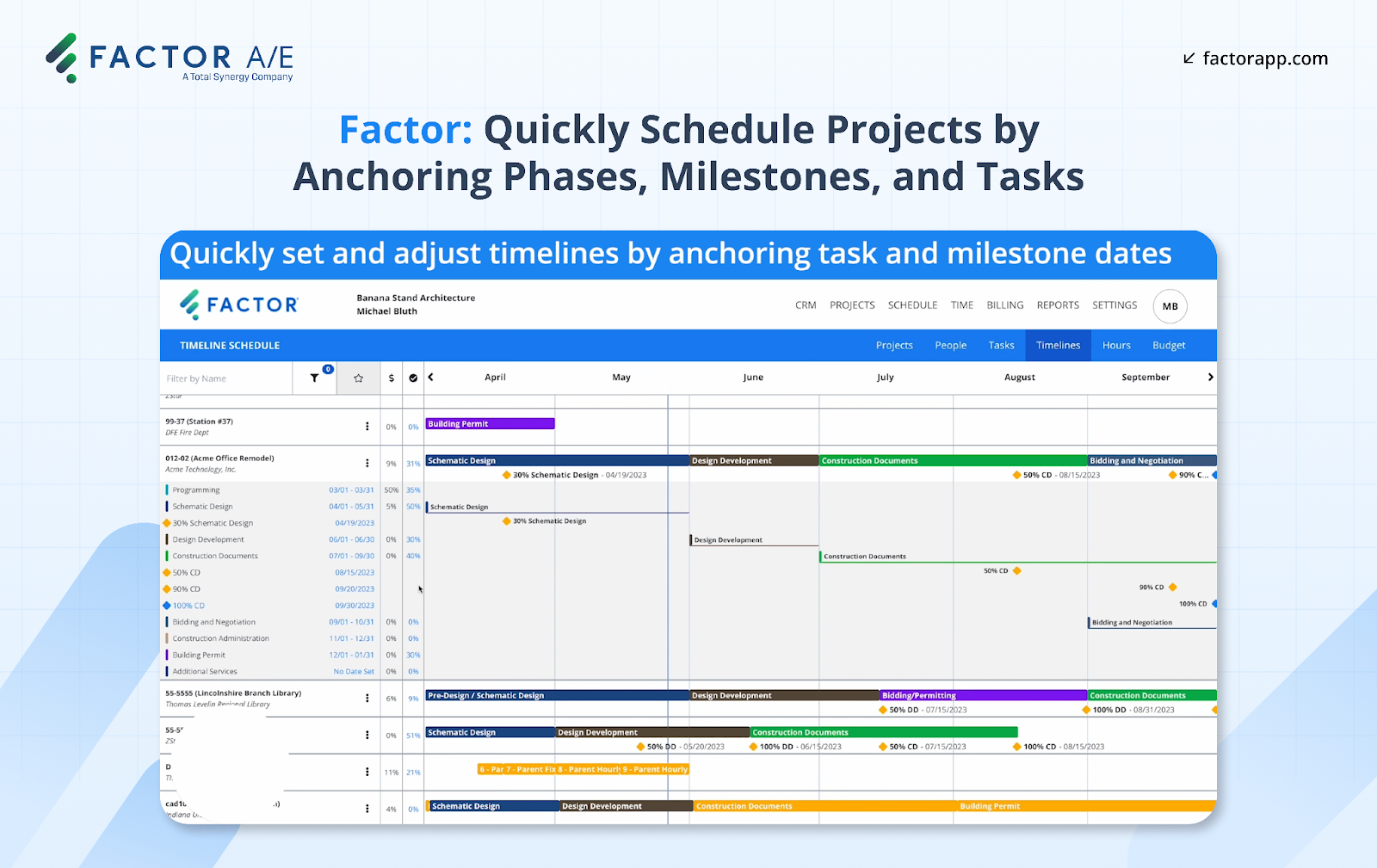
You can choose fixed fee, hourly, or non-billable options at the phase level. Track percent complete with earned value visibility and see where you stand against budget in real-time actuals, time tracking, and earned value, all in one place.
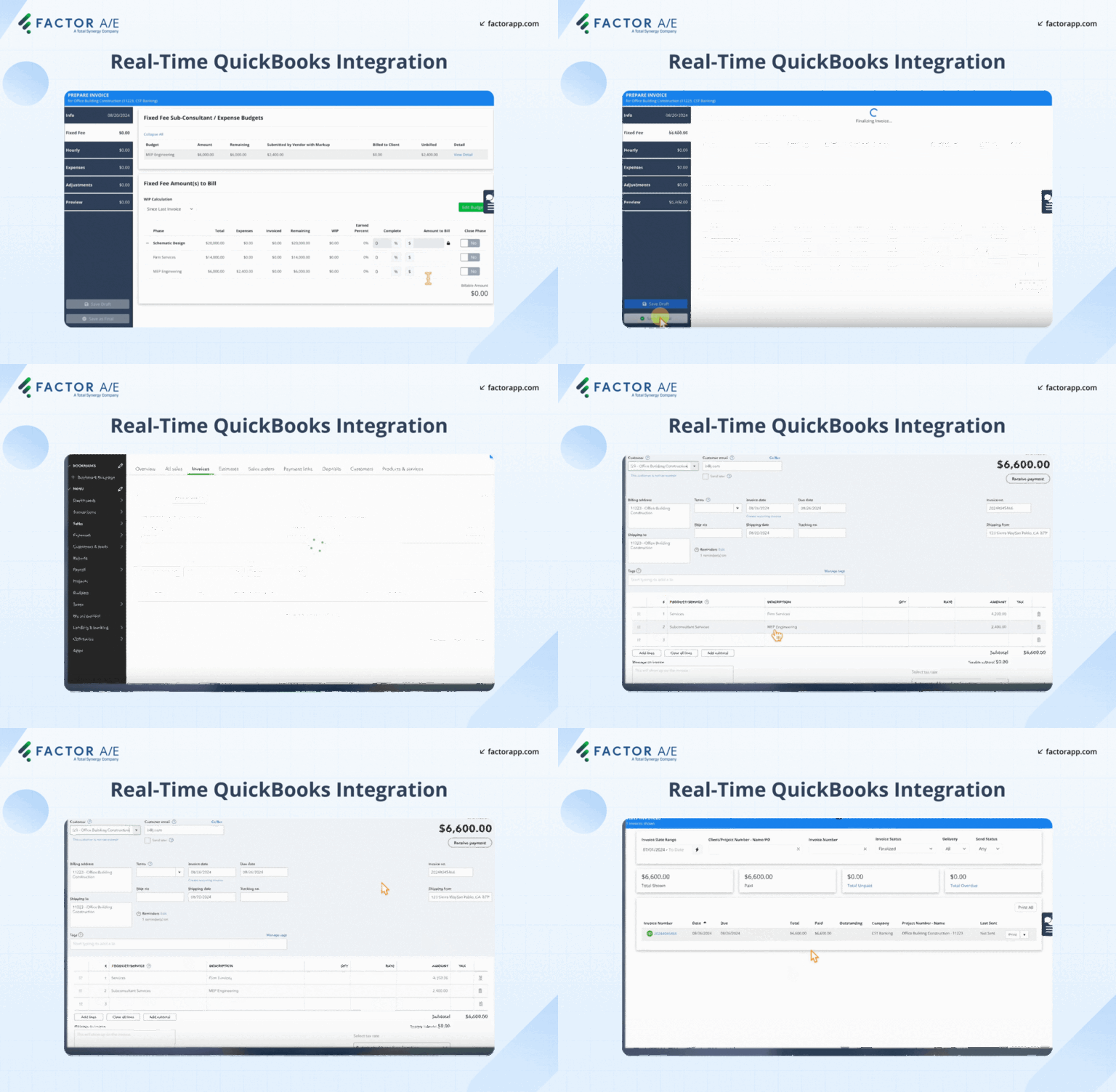
Real-time QuickBooks Online integration
Factor AE syncs with QuickBooks Online in real-time. Once project managers approve invoices, they appear in QuickBooks for receivables tracking. Update an invoice or mark it paid? The data syncs instantly. This eliminates double entry, manual transfer, and end-of-month reconciliation.
And the best part is that Factor AE’s QBO integration is a two-way sync, which means changes in either solution flow and populate effortlessly into the other.
Subconsultant tracking
Engineering firms collaborate with specialists, including structural, MEP, and geotechnical consultants.
Factor AE manages subconsultant contracts on a project-by-project or firm-wide basis. It works across multiple fixed-fee phases.
You can include subconsultant budgets in project fees or pass them through as reimbursables. Pay-when-paid reports show what's been received, what's been paid, and when you can pay subs. No manual tracking required.
Flexible invoicing
Customize invoices with firm branding and client-specific line-item preferences, detailed by phase, task, or summarized. The guided invoicing process shows what's ready to bill based on time entries, expenses, and sub-invoices.
A two-step approval workflow ensures accuracy before sending. Factor AE includes several built-in, premade templates, and users can rely on customized templates developed by the Factor team during the onboarding process. Supported by these details, firms report reducing invoicing time from 15–20 days to about 4 hours per cycle.
Built for multi-generational teams
Factor AE achieves high user adoption across all roles, from coordinators entering time to principals reviewing budgets.
The user-friendly interface uses familiar patterns and role-based dashboards, with everyday tasks completed in two to three clicks. Consistent use ensures accurate time tracking and financial visibility.
Implementation Timeline
Factor AE's onboarding team handles setup, configuration, data migration (even from complex systems like Deltek), and training. Firms go live in 4–6 weeks. And with a price point of $30 per user, per month, Factor remains the most affordable platform out there designed specifically for engineering firms and their needs.
2. Microsoft Project: Enterprise scheduling for large engineering firms
What it is
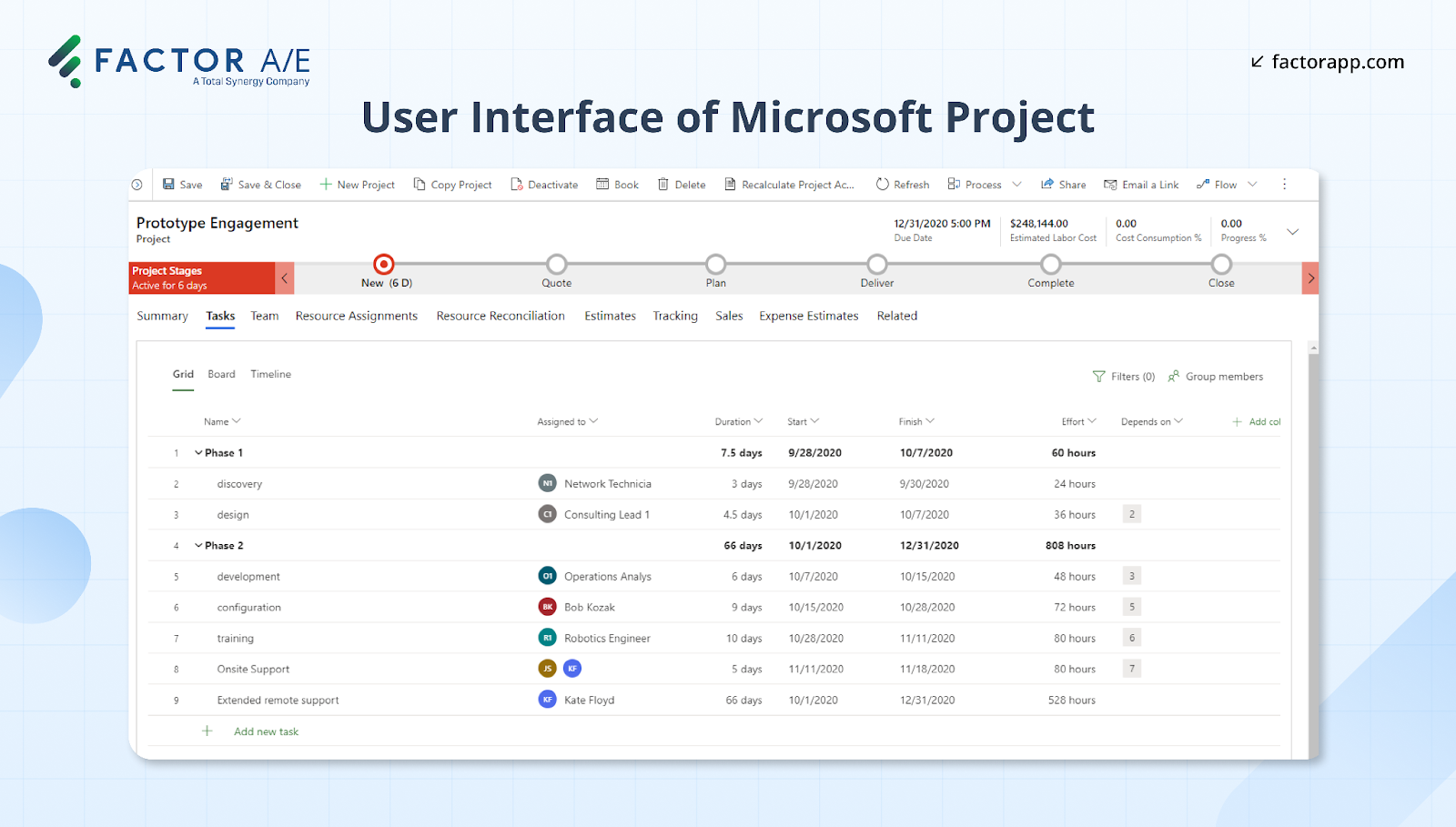
Microsoft Project is project scheduling software built for enterprise-level organizations managing complex portfolios. It’s part of Microsoft’s ecosystem and is used across industries for resource planning, timeline control, and portfolio visibility.
How it works
- The platform provides robust Gantt charts, critical path analysis, and advanced resource scheduling tools, enabling teams to balance workloads, prevent overallocation, and manage interdependent timelines across multiple projects.
- It supports both traditional (Waterfall) and agile project management methods, integrates seamlessly with Microsoft Teams, Power BI, and SharePoint, and enables detailed forecasting and reporting for enterprise-grade planning.
- For engineering and infrastructure firms, Project’s depth helps identify scheduling risks early — particularly on multi-year, multi-discipline builds involving civil, structural, and MEP coordination.
Who it’s for
- Large firms and enterprise-level engineering teams that require granular control over schedules and resources.
- Organizations with dedicated project management staff available to manage the platform’s depth, configuration, and training requirements.
- Firms already using other solutions within the Microsoft suite/ecosystem.
Limitations to consider
- While Project excels in scheduling sophistication, it focuses narrowly on planning and resource management, not day-to-day operational workflows.
- It requires a significant learning curve and ongoing training, which can limit adoption among non-specialist users.
- For functions such as financial management, time tracking, and invoicing, you typically rely on complementary systems.
Pricing
- Plans start at $10 per user/month for cloud-based Project Plan 1
- Advanced plans (Project Plan 3 and Plan 5) offer expanded portfolio management and resource features at higher price points.
Verdict
For engineering teams seeking everyday usability, integrated financial visibility, or faster onboarding, Microsoft Project’s complexity may outweigh the granular level of control it promises.
3. Monograph: Simplified project management
What it is
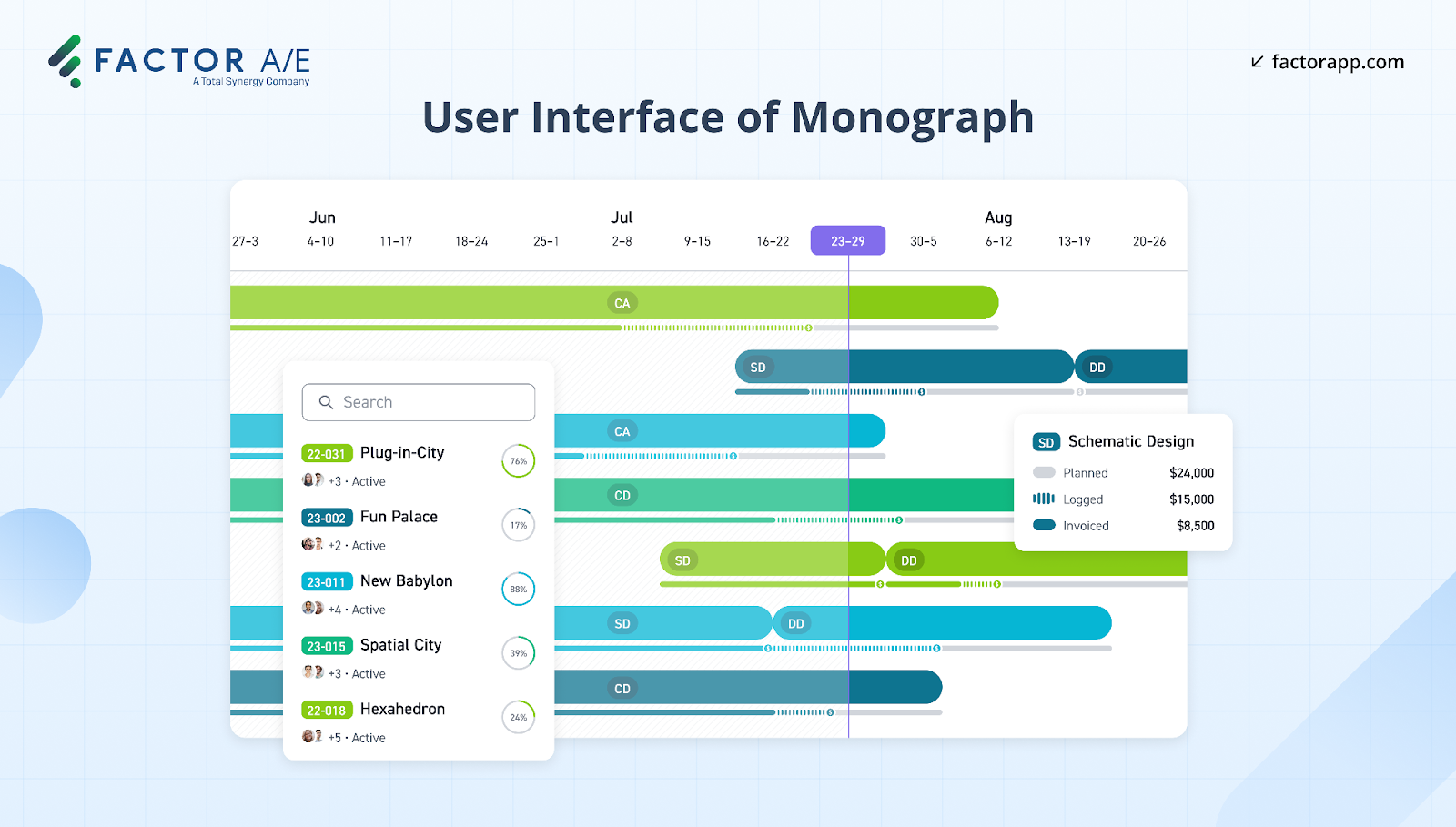
Monograph is project management software built by architects for architecture and engineering firms.
How it works
- It focuses on scheduling, budgeting, and time tracking, featuring a clean interface that reduces the time spent on administrative tasks.
- Standardized workflows and project templates guide project setup, phase breakdowns, and invoicing, with limited customization options.
- The intuitive interface makes project planning straightforward for small to mid-size teams.
Limitations to consider
- Because Monograph prioritizes simplicity, it offers limited flexibility for firms that need detailed reporting, multi-team management, or cross-project resource planning.
- The platform’s clean interface is a strength — but it also means fewer advanced features for capacity forecasting, complex phase tracking, or deep financial analysis.
- Firms anticipating significant growth or managing multiple offices may eventually outgrow Monograph’s current capabilities.
- Unlike options like Factor AE, Monograph only features one-way QBO syncs, which can cause reconciliation issues, especially as projects and teams scale.
- Limited customization overall also means firms won’t be able to opt for custom project fields for additional reporting and invoicing.
Who it’s for
- Boutique or design-focused studios that handle repeatable project types and require a lightweight system to manage project budgets and timelines.
- Teams transitioning from spreadsheets or seeking their first dedicated project management platform will find Monograph approachable and fast to implement.
Pricing
- Plans start at $35/user/month (annual billing), with a free trial available.
Verdict
Monograph delivers a solution for small engineering firms that are in the first stages of their business setup. However, its “simple” interface has extreme limitations, which make it less equipped for firms that need robust, consistent visibility across people, profit, and portfolio performance.
4. BQE Core: Comprehensive practice management for A&E firms
What it is
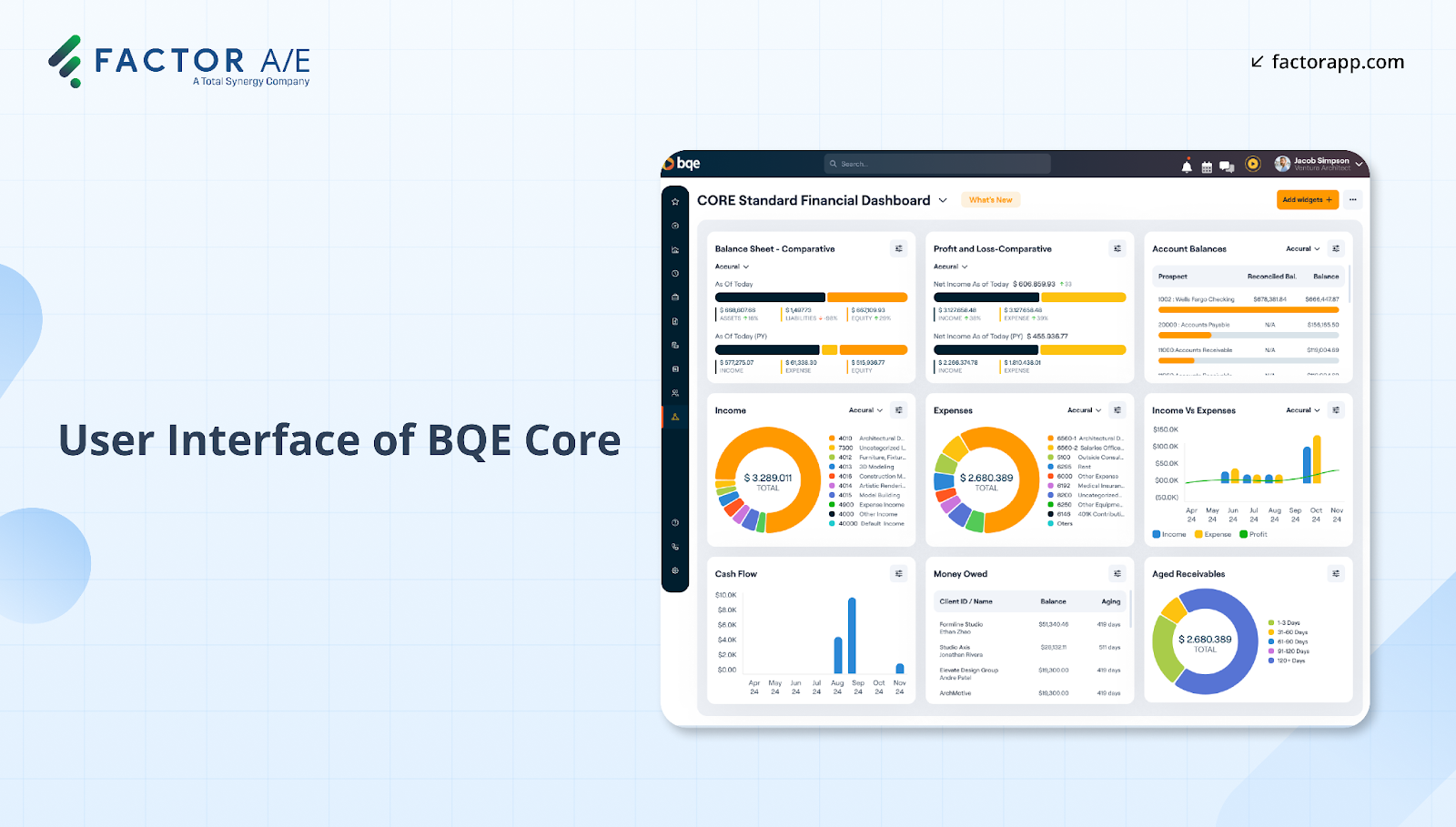
BQE Core is an all-in-one platform combining project management, accounting, time tracking, and CRM for professional services firms, including architecture and engineering.
How it works
- Its unified system allows you to manage projects, finances, and client relationships from within the platform.
- It includes robust analytics and business intelligence features for enhanced financial visibility.
- Project phases are structured as nested sub-projects (phases within larger projects), enabling detailed tracking within a larger scope.
Who it’s for
- Firms with dedicated operations or finance roles that can manage system setup and reporting customization.
- Teams that already rely heavily on time tracking and accounting data (without needing more holistic project management features.
Limitations to consider
- While Core’s breadth is a strength, it also means that setup and configuration can take time, especially for smaller firms that lack in-house IT or finance support.
- The platform’s emphasis on financial detail and reporting depth can create a steeper learning curve for project managers who primarily focus on day-to-day scheduling or resource allocation.
- Because QuickBooks Online integration is an add-on, firms may need to invest additional effort in aligning financial workflows.
- Support and customization remains limited, with many users reporting long wait times.
Pricing
- Core’s custom pricing is based on firm size and modules, so you’ll need to contact sales for a quote.
Verdict
Core delivers power and precision, but it’s best suited to firms that have the bandwidth to maintain that complexity.
5. Deltek: Enterprise management for established A&E Firms
What it is
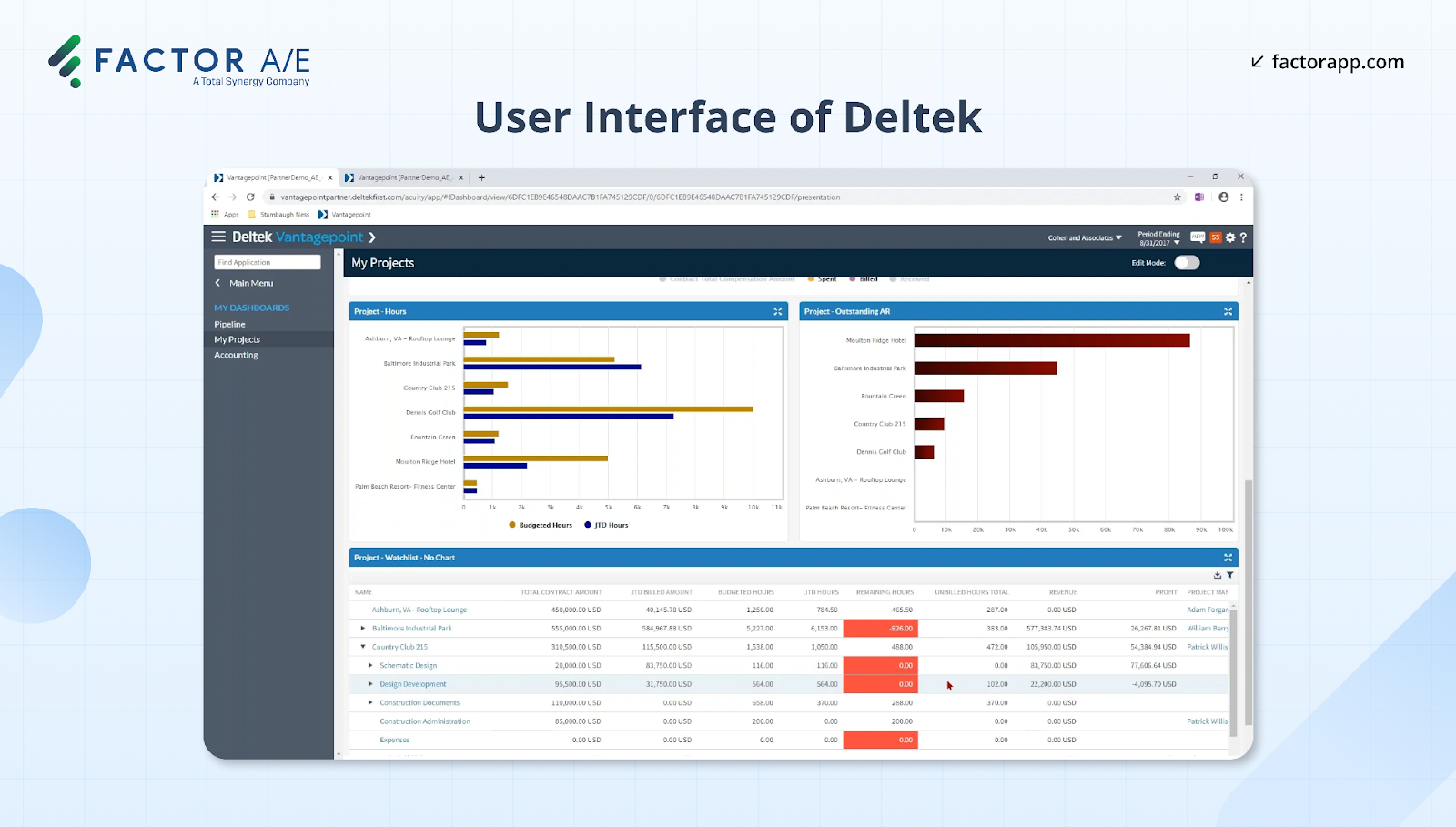
Deltek is a long-established software solution built for large architecture and engineering firms that need integrated project and financial management.
How it works
- With built-in accounting, Deltek removes the need for separate financial software, simplifying data management.
- Its unified platform supports complex project portfolios with seamless coordination across financial reporting, resource allocation, and project tracking.
- It offers extensive reporting tools for financial analysis, performance tracking, and business intelligence across multi-office operations and diverse project types.
Who it’s for
- Large engineering firms that require comprehensive financial oversight, compliance reporting, and audit-ready data.
- Organizations with dedicated operations and accounting teams capable of supporting implementation and ongoing data management.
- Firms managing multiple offices or large government contracts that need scalability, built-in compliance features, and enterprise-level control.
Limitations to consider
- Built as an enterprise ERP, Deltek remains complex to configure and could prove costly to maintain.
- Implementation timelines are significant, often requiring specialized consultants or internal IT resources.
- While it provides exceptional reporting depth, its interface and workflows are finance-first, which can make adoption challenging for project managers seeking a lighter, more intuitive daily tool. It may also limit agile, cross-functional teams.
- Customization and automation options are available, but they typically require additional setup or technical expertise, which comes at an extra cost.
Pricing
- Deltek offers custom pricing based on modules, user count, and firm size. Most engineering firms must contact sales for a tailored quote.
Verdict
Deltek delivers unmatched visibility for firms that need enterprise-grade financial control and regulatory compliance. But for teams prioritizing agility, ease of use, and faster adoption across disciplines, its complexity may outweigh its comprehensive scope.
6. Asana: General project management built for flexibility
What it is
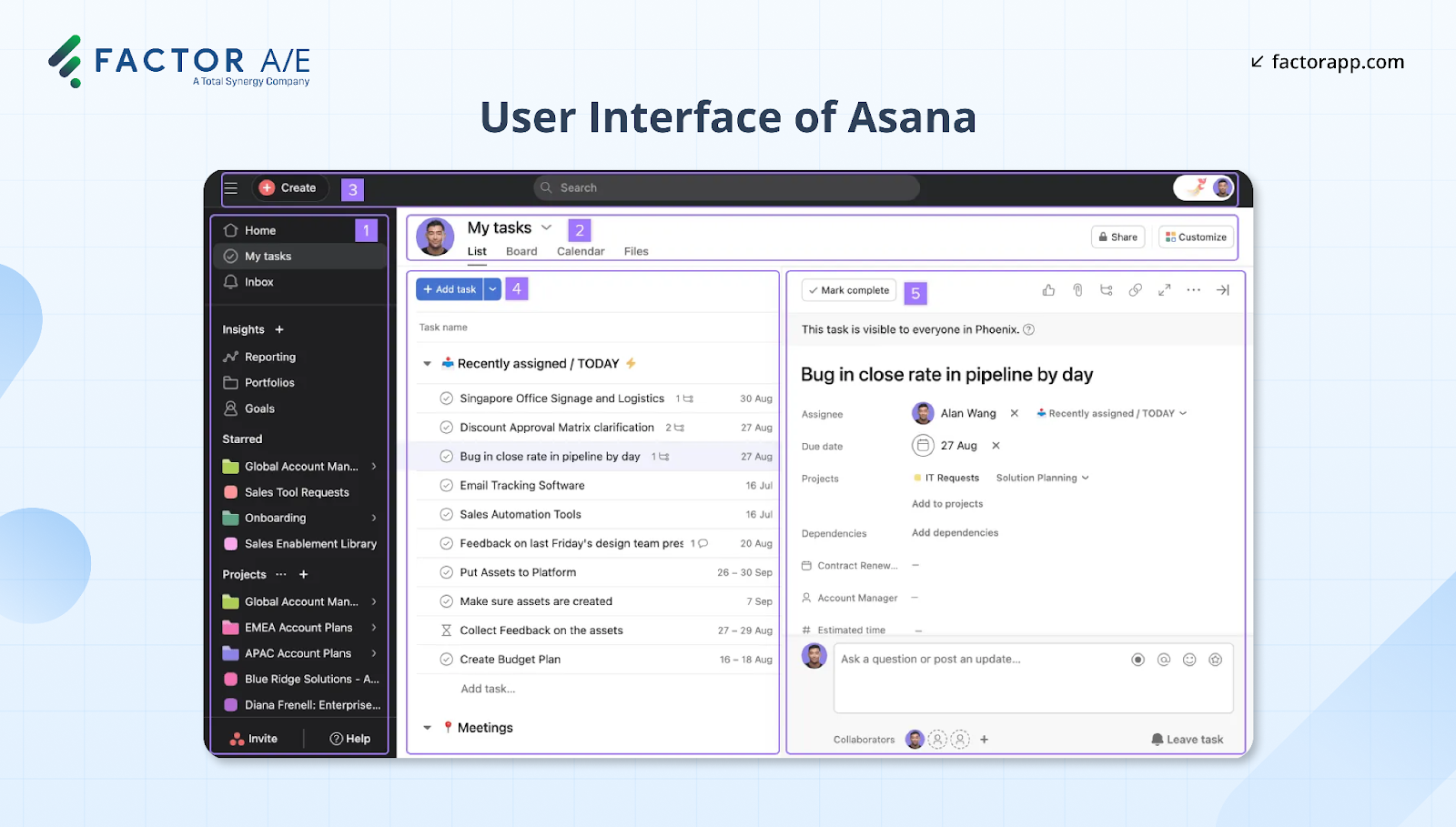
Asana is a versatile project management platform with customizable workflows and collaboration tools.
How it works
- Asana uses a visual interface, along with project templates and task tracking features to help teams manage deadlines, workloads, and deliverables with real-time visibility across projects.
- With a user-friendly interface and mobile app, teams have quick access when working remotely.
- Users can adapt templates for their workflows, create timelines, assign tasks, set dependencies, and track progress via boards or lists.
Who it’s for
- Cross-functional teams that prioritize task coordination, communication, and simplicity over deep industry-specific workflows.
- Firms that need to start up rapidly, using a lightweight, flexible system that complements existing tools rather than replacing them.
- Teams using the platforms solely for internal initiatives, marketing projects, or administrative workflows
Limitations to consider
- Because it’s designed as a broad, industry-agnostic platform, it lacks built-in features critical to engineering firms — such as phase-based billing, utilization tracking, or integration with accounting systems like QuickBooks Online.
- Customizing Asana to fit architecture and engineering workflows often requires third-party add-ons or manual processes, which can fragment data and increase administrative overhead.
- While its interface is user-friendly, it’s best suited for collaboration and task management, rather than providing operational visibility into capacity, profitability, or resource forecasting.
Pricing
- Asana offers a free basic plan for small teams
- Premium tiers starting at $10.99 per user/month
- Advanced plans add automation and reporting capabilities
Verdict
Asana excels as a flexible, intuitive project management tool for general collaboration. But because it’s not purpose-built for architecture and engineering workflows, firms seeking integrated visibility into resources, budgets, and billing will quickly reach its limits.
Choose Purpose-Built Software Designed Exclusively for Engineering Firms
Most architecture and engineering firms aren’t struggling with access to technology — they’re struggling with alignment. The wrong tools fragment data, slow down billing, and bury profitability in manual workarounds.
Purpose-built software changes that. It connects time tracking, project planning, and accounting in one system designed for how engineering firms actually operate — with phase-based billing, subconsultant management, and QuickBooks integration built in from the start.
And because the interface fits the way your teams already work, adoption follows naturally. No retraining. No months-long setup. Just smoother processes, better visibility, and hours returned to actual project work.
If you’re ready to see what alignment looks like in action, schedule a 15-minute demo with our team and see how Factor AE helps your firm run with precision, not patchwork.

Recommended articles


See Factor in action
In one quick call, we’ll show you a simpler way to run projects and get paid faster.
.png)
“I recommend Factor to other firms. The team is great, it’s easy to use, and it has streamlined my project management. It can do the same for yours.”
Adam Mayberry
Architect / Managing Principal