
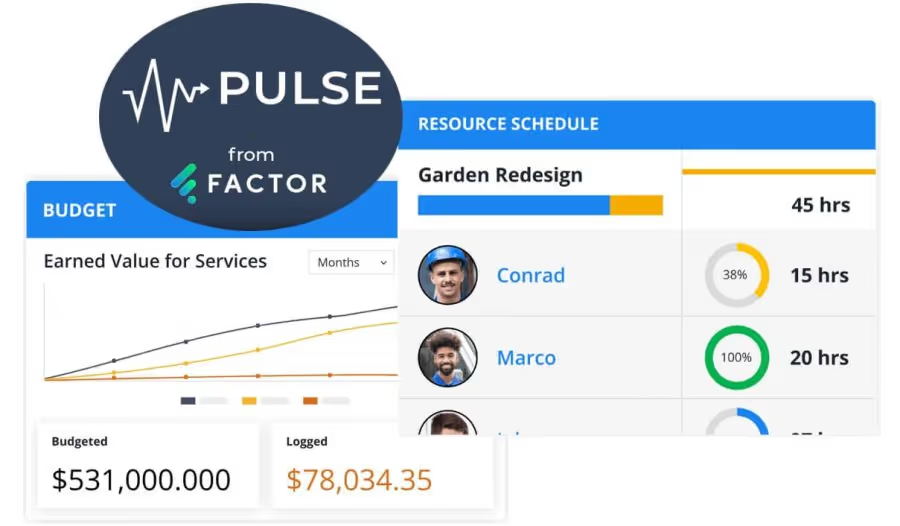

Why The Pulse Was Created for Architecture and Engineering Firms
The Factor team created The Pulse after repeatedly working with project managers who were failing to find software that could help them properly manage their projects. Many of the industry-specific platforms they were researching were often antiquated and/or overly complex. The most common complaints were:
- Inability to view information across all of their projects easily and quickly
- Project setup and/or retrieval of important information being too cumbersome
- Frustration with speed of the software itself
- Lack of real-time budget information
The Pulse was created to provide A/E firms a holistic view of their project timelines, resources, budgets and profit. The Pulse provides a single place to view this information across a firm's entire portfolio of projects.
With its sleak, easy-to-use interface, The Pulse allows managers the ability to access the information they need about the status or performance of their projects and staff in seconds. Aside from providing a high-level view of each project, The Pulse focuses on six areas of project-related data:
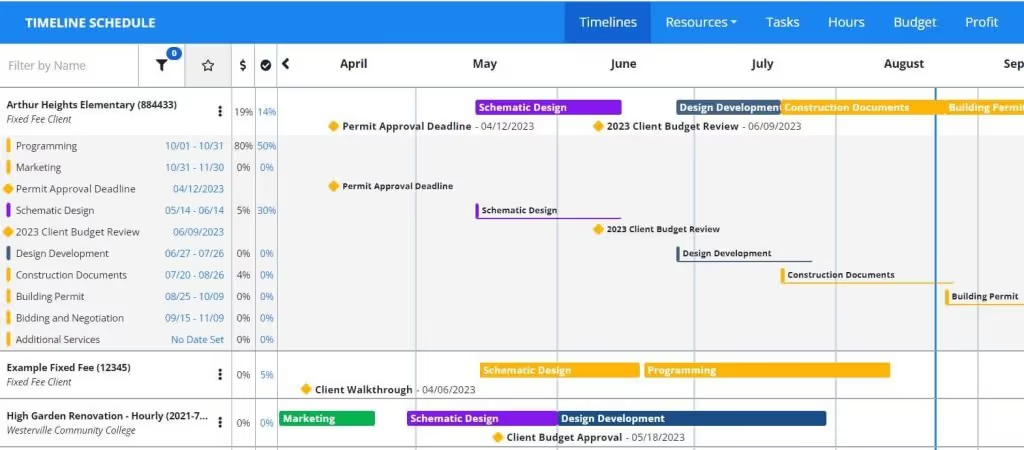
1. Project Timelines
The Pulse's timeline view shows the timelines of the firm's entire portfolio of projects. Phases, milestones and tasks can be viewed for each project. The timeline view also displays the budget consumed for each phase and the overall project for an at-a-glance status check.
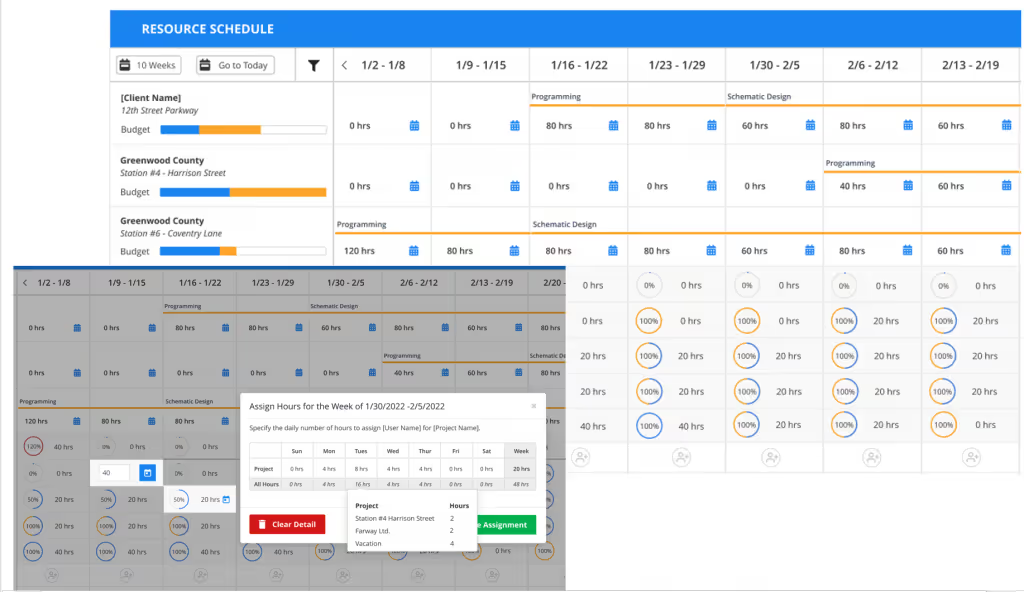
2. Resource Planning and Staff Utilization
The resource area of the Pulse allows resource planning by employee or project. The Pulse resource schedule helps guide decisions by making remaining budget information, team capacity, and employee utilization visible throughout the scheduling process.
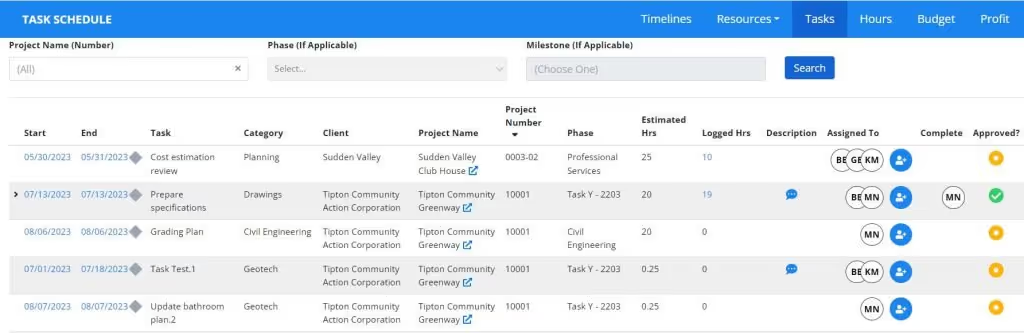
3. Project Tasks
Tasks in Factor allow the firm to break down work needed to complete project phases and assign them to specific employees if desired. The task area of the Pulse allows architecture and engineering firms to look at task information across projects and employees to get a better idea of task progress and upcoming deadlines within the firm4. Project Hours Dashboard
4. Project Hours Dashboard
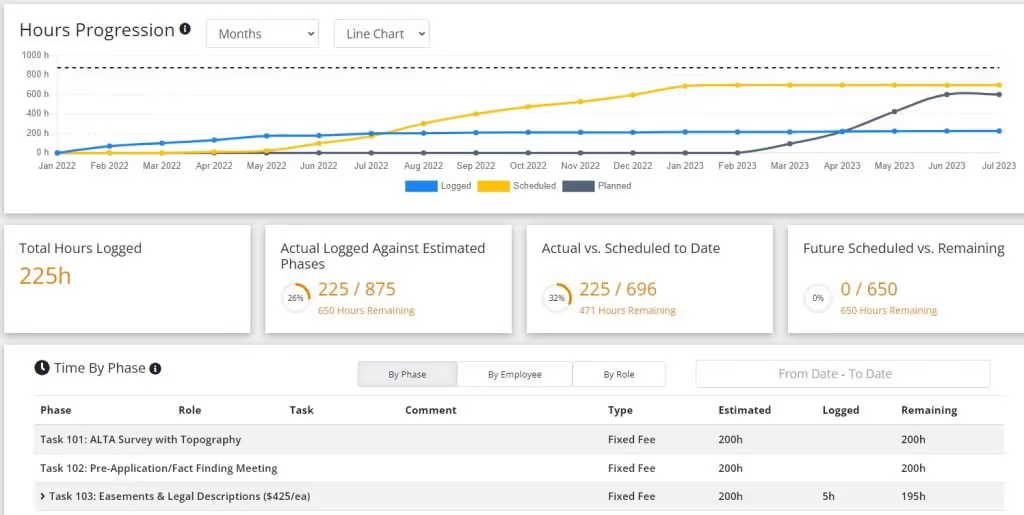
The Hours view allows project managers to see how hours are being spent on their projects. The hours progression graph compares hours scheduled vs. logged vs. planned. Managers can view the chart to understand high-level status of the projects, but also have the ability to dive into phase, employee or role details if needed.
5. Project Budgets Dashboard
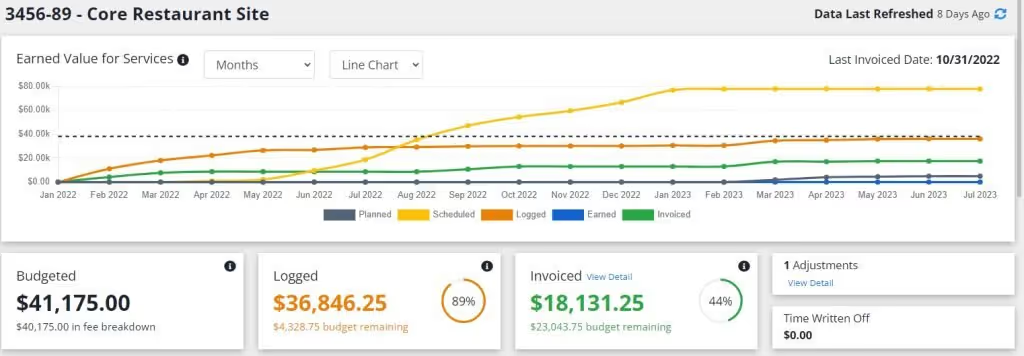
The budget area under The Pulse shows how each project budget has been used across the life of the project. Firms are able to compare how the budget has been planned, invoiced and spent. It also shows the status of the budget overall, per phase, and intelligently separates this information between the firm's professional service fees vs. subconsultant services.
6. Project Profit Dashboard
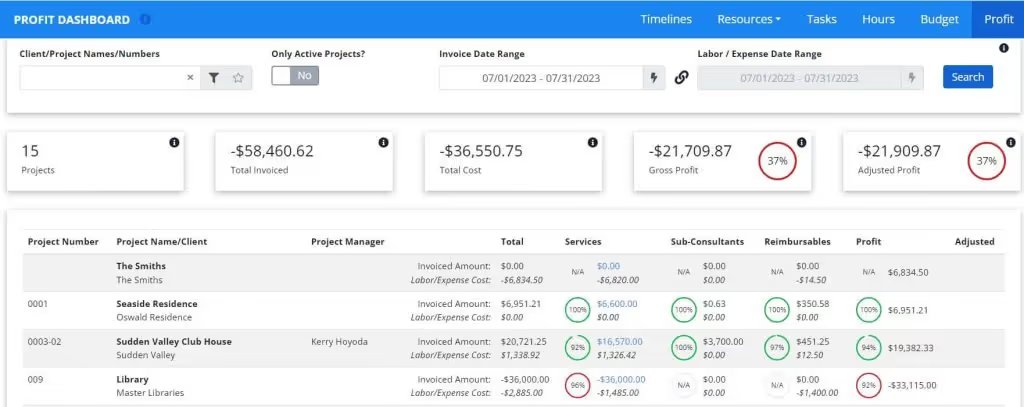
If you currently struggle to view and understand profitability by project, then you will love The Pulse profit dashboard. This view allows easy analysis of profitability by project and can be viewed for the duration of the project or for a given point in time using the date filters. This invaluable information allows senior management to determine what projects are doing well and to easily identify missed opportunities to bill for services or be reimbursed for expenses.
With this collection of tools, The Pulse is unlike anything else currently offered by an A/E project management platform. If you are one of the many architecture or engineering firms that constantly pulls a variety of reports through multiple spreadsheets trying to view the intersection of time, resources, client deadlines, dollars, and profit in order to make informed decisions....then schedule a demo of The Pulse and take a look at how Factor already does all of that for you.

Recommended articles


See Factor in action
In one quick call, we’ll show you a simpler way to run projects and get paid faster.
.png)
“I recommend Factor to other firms. The team is great, it’s easy to use, and it has streamlined my project management. It can do the same for yours.”
Adam Mayberry
Architect / Managing Principal